Implementasi Override Cell TableLowcode
Contoh Sebelum dicustom
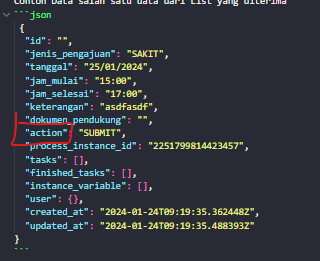
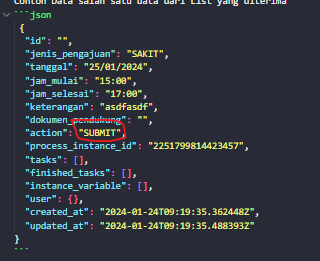
Contoh Data salah satu data dari List yang diterima
 {
  "id": "",
  "jenis_pengajuan": "SAKIT",
  "tanggal": "25/01/2024",
  "jam_mulai": "15:00",
  "jam_selesai": "17:00",
  "keterangan": "asdfasdf",
  "dokumen_pendukung": "",
  "action": "SUBMIT",
  "process_instance_id": "2251799814423457",
  "tasks": [],
  "finished_tasks": [],
  "instance_variable": [],
  "user": {},
  "created_at": "2024-01-24T09:19:35.362448Z",
  "updated_at": "2024-01-24T09:19:35.488393Z"
}
Contoh Spec nya
const spec = {
  show_as_menu: true,
  name: 'payslip',
  is_bpmn: true,
  is_usertask: false,
  can_bulk: false,
  can_create: true,
  can_delete: false,
  can_edit: true,
  can_detail: true,
  label: 'Takwim',
  base_url: import.meta.env.VITE_API_BASEURL,
  path: '/workflow/v1/bpmn/pengajuanizin',
  description: 'Field Dari Takwim',
  header_action: [
    {
      label: 'Tambah',
      action_label: 'Tambah Pengajuan',
      method: 'post',
      form_type: 'new_page',
      path: '/workflow/v1/bpmn/pengajuanizin',
      icon: 'plus',
      type: 'primary',
    },
  ],
  field_action: [
    {
      label: 'Detail',
      action_label: 'Detail Payslip',
      method: 'get',
      form_type: 'modal',
      path: '/workflow/v1/bpmn/pengajuanizin/{id}',
      icon: 'eye',
      type: 'primary',
    },
    {
      label: 'Edit',
      action_label: 'Kemaskini Takwim',
      method: 'put',
      form_type: 'modal',
      path: '/workflow/v1/bpmn/pengajuanizin/{id}',
      icon: 'edit',
      type: 'primary',
    },
    {
      label: 'Hapus',
      action_label: 'Hapus Takwim',
      method: 'delete',
      form_type: 'confirm_modal',
      confirm: {
        title: 'Hapus Data',
        message: 'Adakah anda pasti ingin memadam data ini?',
        confirm_text: 'Ya, Teruskan',
        cancel_text: 'Batal',
      },
      path: '/workflow/v1/bpmn/pengajuanizin/{id}',
      icon: 'trash',
      type: 'danger',
    },
  ],
  fields: {
    id: {
      name: 'id',
      label: 'Id',
      required: true,
      searchable: false,
      filterable: false,
      sortable: true,
      type: 'number',
      form_field_type: 'INPUT_NUMBER',
      primary: false,
      is_hidden_in_create: true,
      is_hidden_in_edit: true,
      is_hidden_in_list: false,
      is_hidden_in_detail: true,
      rules: ['required', 'integer'],
      format: '',
      prefix: '',
      suffix: '',
      list_order: 6,
      create_order: 6,
      edit_order: 6,
    },
    jenis_pengajuan: {
      name: 'id',
      label: 'Id',
      required: true,
      searchable: false,
      filterable: false,
      sortable: true,
      type: 'number',
      form_field_type: 'INPUT_NUMBER',
      primary: false,
      is_hidden_in_create: true,
      is_hidden_in_edit: true,
      is_hidden_in_list: false,
      is_hidden_in_detail: true,
      rules: ['required', 'integer'],
      format: '',
      prefix: '',
      suffix: '',
      list_order: 6,
      create_order: 6,
      edit_order: 6,
    },
    action: {
      name: 'action',
      label: 'Id',
      required: true,
      searchable: false,
      filterable: false,
      sortable: true,
      type: 'number',
      form_field_type: 'INPUT_NUMBER',
      primary: false,
      is_hidden_in_create: true,
      is_hidden_in_edit: true,
      is_hidden_in_list: false,
      is_hidden_in_detail: true,
      rules: ['required', 'integer'],
      format: '',
      prefix: '',
      suffix: '',
      list_order: 6,
      create_order: 6,
      edit_order: 6,
    },
    jam_mulai: {
      name: 'jenis_pengajuan',
      label: 'jenis',
      required: true,
      searchable: false,
      filterable: false,
      sortable: true,
      type: 'number',
      form_field_type: 'INPUT_STRING',
      primary: false,
      is_hidden_in_create: true,
      is_hidden_in_edit: true,
      is_hidden_in_list: false,
      is_hidden_in_detail: true,
      rules: ['required', 'integer'],
      format: '',
      prefix: '',
      suffix: '',
      list_order: 6,
      create_order: 6,
      edit_order: 6,
    },
  },
}
Contoh cara pemanggilan TableLowcode nya yang cell nya belum di custom
<TableLowcode
  title="List Pengajuan Izin"
  spec={spec}
  data={data?.content}
  isLoadingData={isLoading}
  pagination={pagination}
  baseUrl={import.meta.env.VITE_API_BASEURL}
  renderState={renderState}
  setRenderState={setRenderState}
  pageConfig={pageConfig}
  setPageConfig={setPageConfig}
  filterBy={filterBy}
  setFilterBy={setFilterBy}
  search={search}
  setSearch={setSearch}
  orderBy={orderBy}
  setOrderBy={setOrderBy}
  sortBy={sortBy}
/>
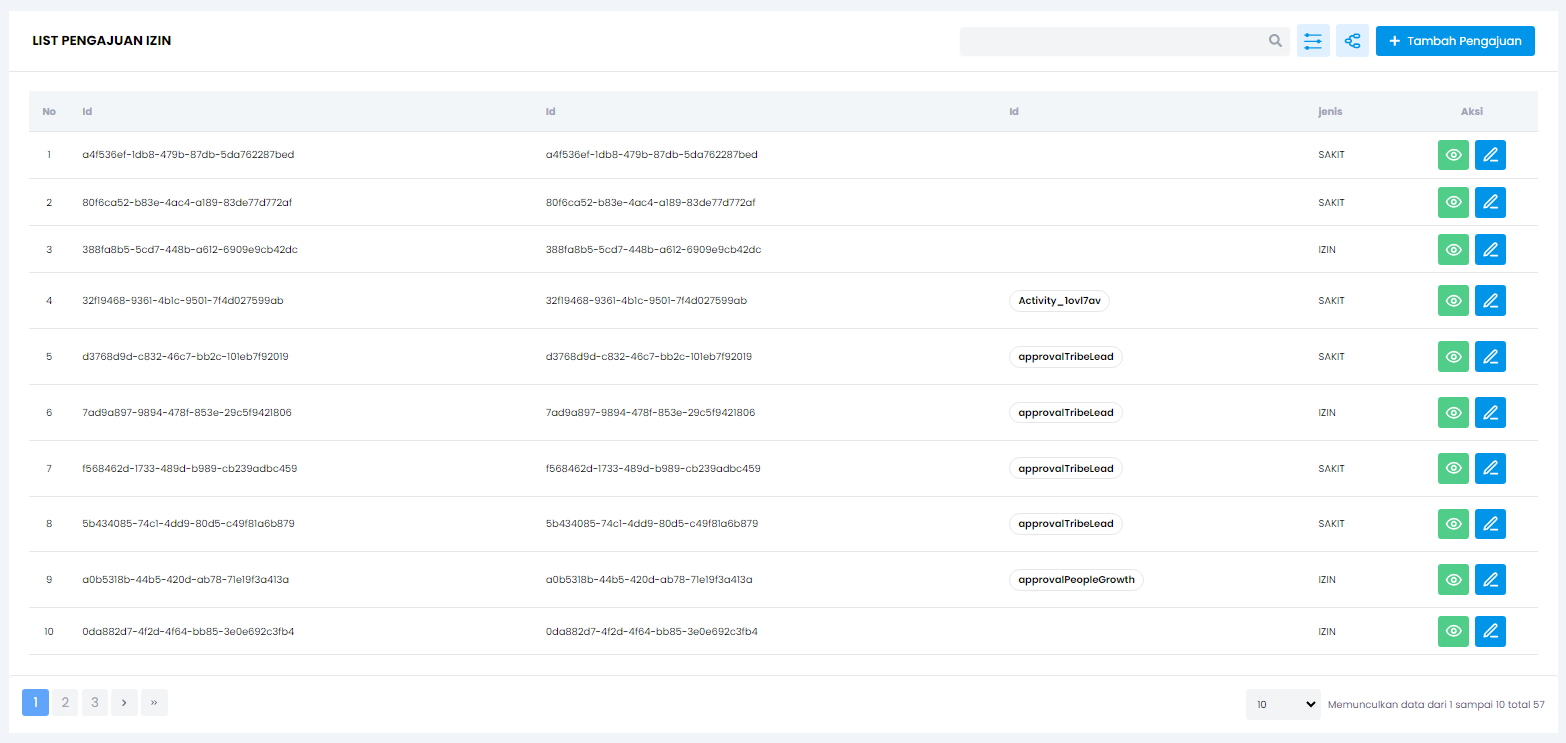
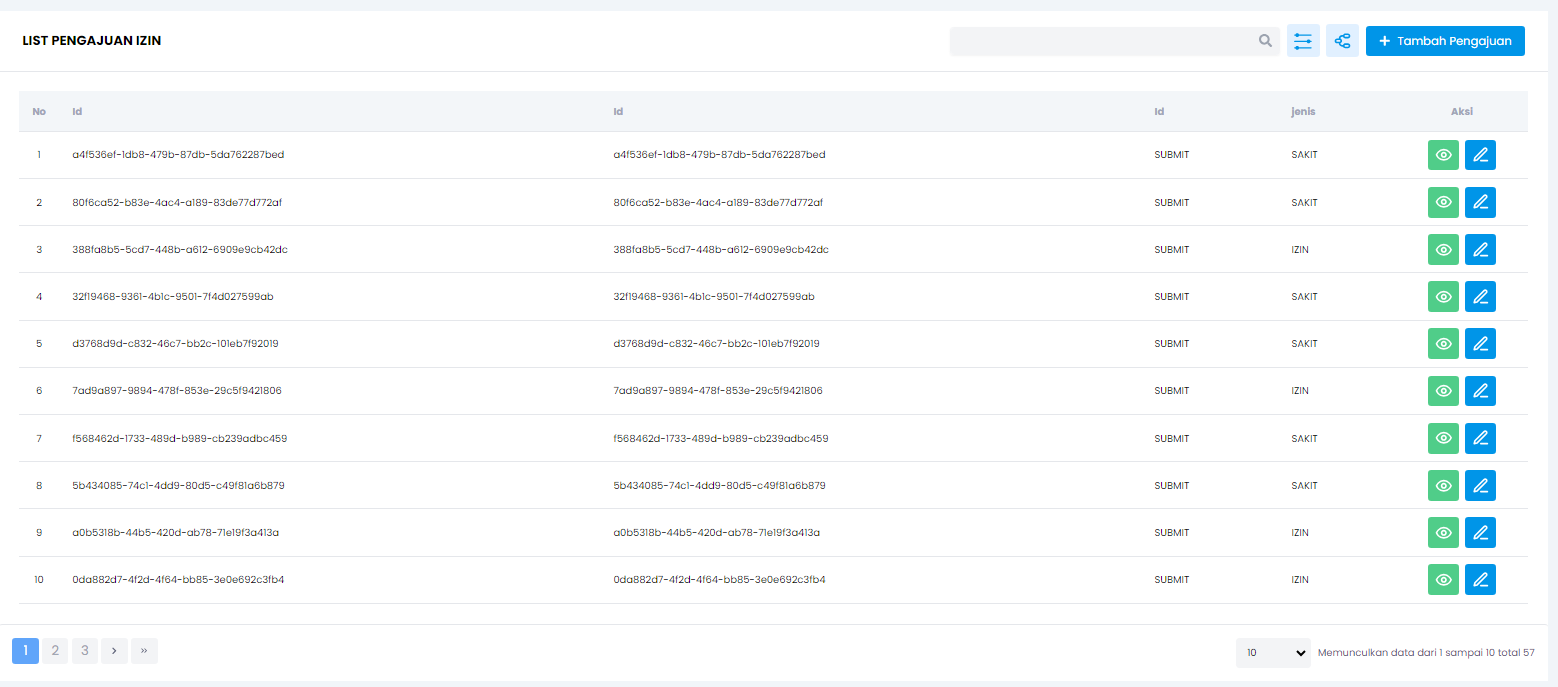
Hasil nya
Goals nya disini adalah ingin menampilkan status menggunakan komponen tag nya alurkerja
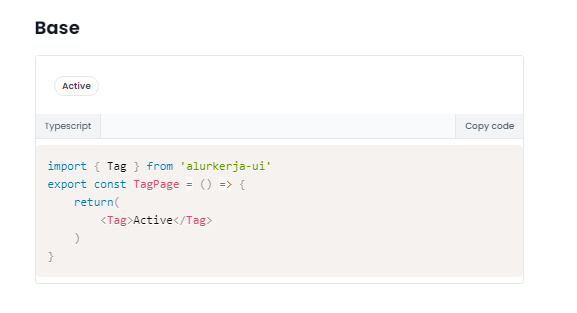
caranya:
- import component tag nya beserta types customCell
import { Tag, CustomCellProperties} from 'alurkerja-ui' - buatlah fungsi dengan nama
customCellyang ngereturn JSX.element
const customCell = ({ name, defaultCell, rowValue, value }: CustomCellProperties) => {
 if (name === 'action') {
    if (value === 'DRAFT') {
      return <Tag>{value}</Tag>
    }
    return (
      <div className="space-y-2.5">
        {rowValue.tasks.map((task: Finishedtask) => (
          <div>
            <Tag>{task.value.elementId}</Tag>
          </div>
        ))}
      </div>
    )
  }

  return defaultCell
}
- name: merupakan key nya
- defaultCell: merupakan JSX.element dari alurkerja
- rowValue: merupakan nilai dari row nya

- value: merupakan nilai dari cell nya,
- kirimkan funtion yang sudah dibuat ke tableLowcode via Props
<TableLowcode
  ...props yang udh ada sebelumnya
  customCell={customCell}
/>